You don’t need to spend $300 on a dash cam to get footage that holds up in an insurance claim. The setup I run in my Tahoe — a VIOFO A119 Mini 2 hardwired with a cheap Gebildet kit — records 2K at 60fps, reads license plates at night, and costs a fraction of what the big-name 4K systems go for. This is the best budget dash cam combo I’ve found, and I’ll also cover the one thing I’d change about it.
We earn a commission if you buy through links on this page, at no extra cost to you.
Verdict: If you want the best image quality per dollar, buy the VIOFO A119 Mini 2 and hardwire it with the Gebildet kit. If you’d rather have no screen at all and don’t need 2K resolution, the Thinkware F70 PRO is the cleaner, simpler pick — it’s been running in an older Tahoe of mine for a long stretch with zero issues.
Why the VIOFO A119 Mini 2 Is the Best Budget Dash Cam Right Now
The A119 Mini 2 is a front-only camera built around Sony’s STARVIS 2 IMX675 sensor, which is the reason the footage looks the way it does: low noise, less motion blur, and clearer details in low light, as the Tech Advisor review confirms. It records 2K 2560×1440 at 60fps, with a top mode of 2.7K 2592×1944 at 30fps — enabling HDR drops the frame rate to 30fps. The lens is a 7-glass F1.6 unit with a 140° field of view.
Going from a 1080p camera to this was the biggest single upgrade I’ve made to my car. The difference in clarity is huge, and it’s the kind of detail that matters when you need to read a plate or prove who did what.
It also carries features you’d expect from cameras twice the price: built-in GPS that stamps speed and route into the files, dual-band 2.4/5GHz Wi-Fi for fast transfers to the VIOFO app, voice control for things like locking a clip or toggling Wi-Fi, and a 1.5-inch display so you can change settings without the app, per Tech Advisor’s testing.
Its buffered parking mode saves a 45-second clip that starts 15 seconds before an event, so you get the lead-up, not just the aftermath. One thing to know: the memory card is sold separately, and the camera accepts cards up to 512GB, according to Tech Advisor. Check current pricing on the VIOFO A119 Mini 2.
The Gebildet Hardwire Kit Makes the Install Easy
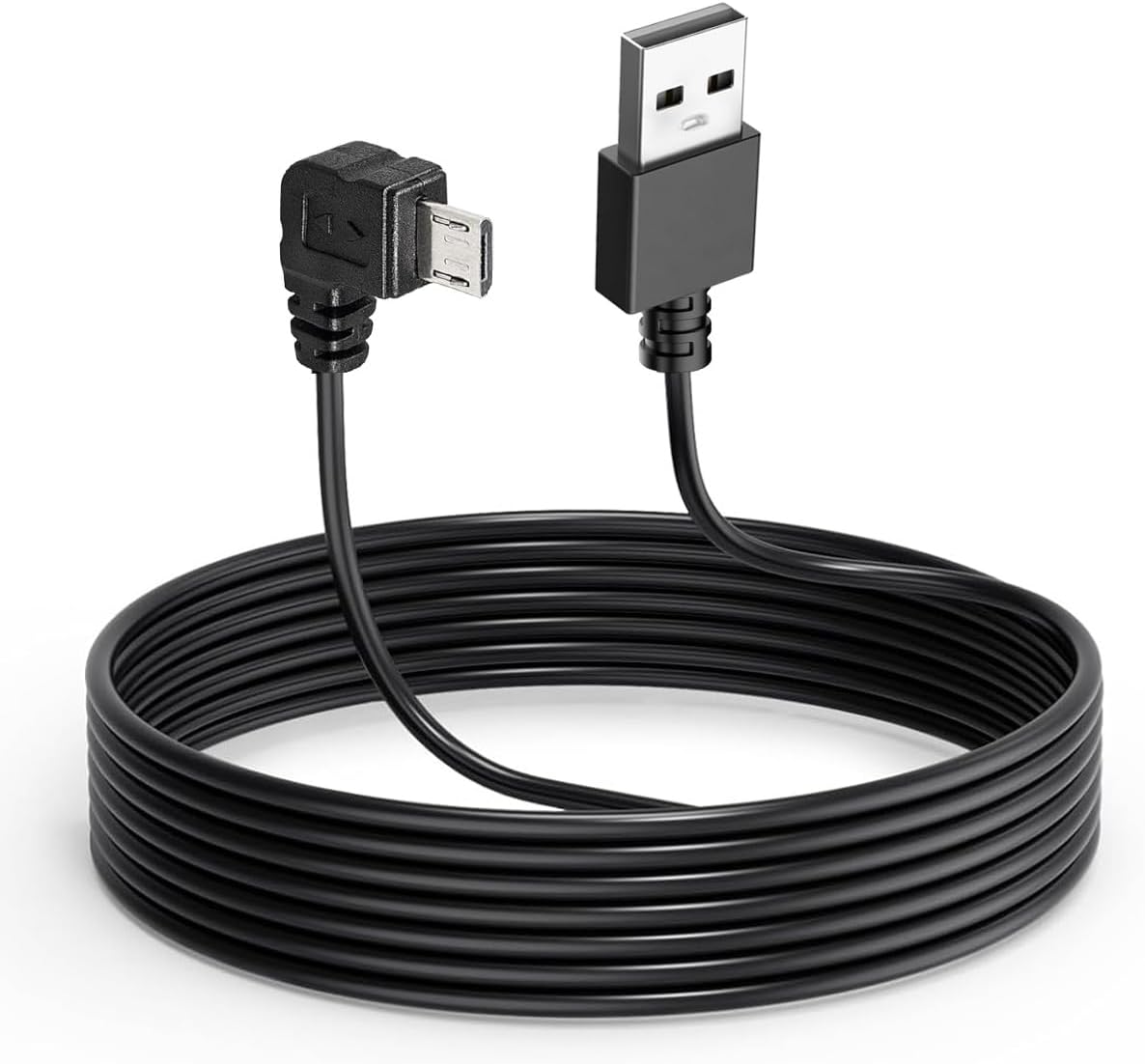
Everyone overcomplicates hardwiring. The Gebildet kit is the reason I stopped dreading it: it converts your car’s 12–24V power to a stable 5V/2.5A output for the camera, and it comes with four fuse tap styles — Low-Profile Mini, Mini, ATO, and Micro2 — so it fits nearly any fuse box.
Here’s the whole install, the way I did it in my Tahoe: find a fuse that’s only live when the ignition is on, tap it, and run the 3.2m cable up the A-pillar, across the headliner, and down to the camera behind the rearview mirror. The kit includes a pry bar and adhesive pads to hide the cable in the trim. That’s it. Because it’s fused, if anything shorts, the fuse pops instead of your camera or your car’s wiring.
Best case, you find a fuse that stays live for a little while after you leave the car, which lets you use the security functions after you walk away. It doesn’t matter a whole lot — I run mine on an ignition-switched fuse and it’s been fine.
The kit also has low-voltage protection: it cuts power at 11.6V (23.2V on a 24V system) so the camera can’t drain your battery below starting voltage. That’s what makes 24-hour parking mode possible — the camera keeps recording with the engine off, and the kit stops it before your battery dies. If your battery is old or weak, disable 24h recording for long parking sessions; constant draw can drop voltage under the cutoff and cause a startup failure.
Check current pricing on the Gebildet hardwire kit.
Thinkware F70 PRO — The No-Screen Alternative
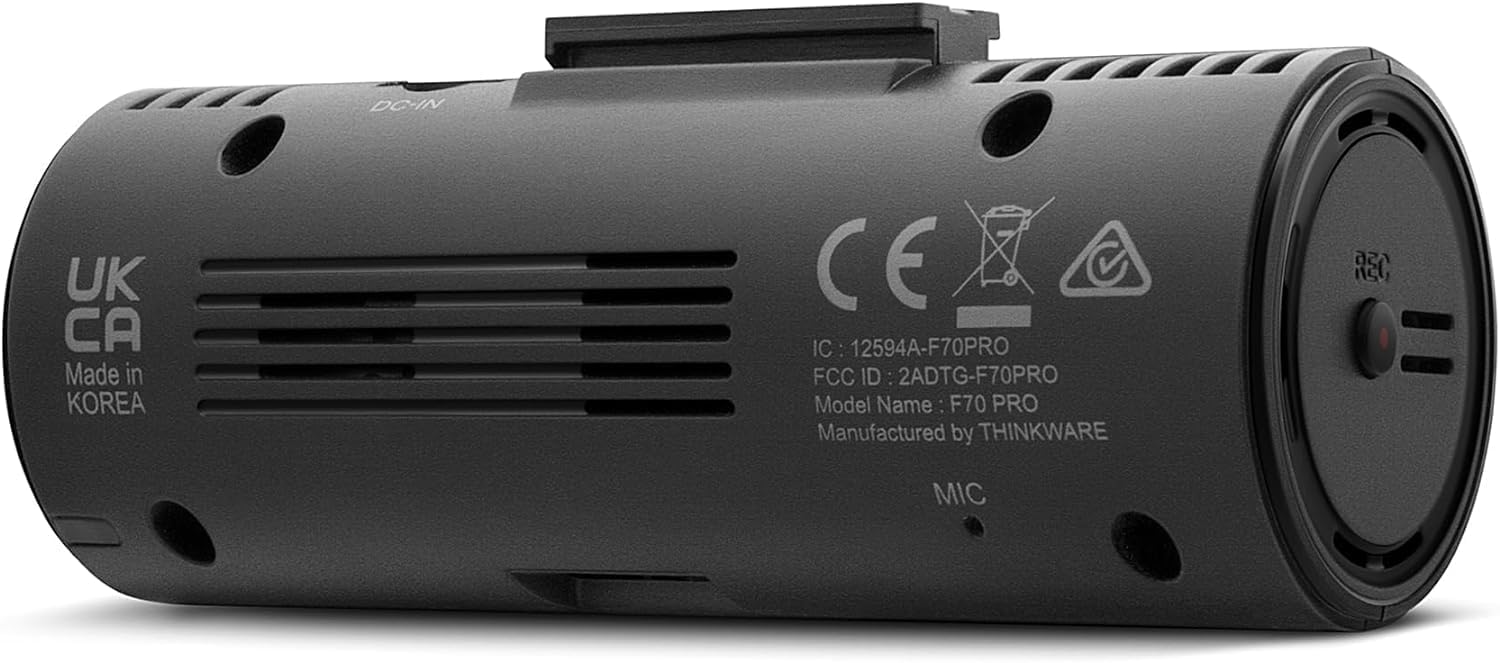
The F70 PRO is the camera I keep in an older Tahoe, and it’s still running perfectly. It’s a 1080p FHD camera at 30fps with a 2.1MP CMOS sensor and a 140° field of view, per Thinkware’s spec sheet. It’s tiny — 82mm long and 42g — and it has no screen at all, which is exactly why I like it. There’s nothing to stare at, nothing to catch glare, and it disappears behind the mirror.
It comes with a 32GB microSD card in the box, which the VIOFO doesn’t. It uses a supercapacitor instead of a lithium battery, so it handles heat better, and it has thermal protection that shuts it down in extreme temperatures, per Thinkware.
Parking mode is the same story as the VIOFO: it needs a hardwire or OBD cable to run with the engine off. Once it’s powered, motion and impact detection saves a 20-second clip — 10 seconds before and 10 after — and there are time-lapse and energy-saving modes. Super Night Vision brightens low-light parking footage, though it only works in parking mode, not while driving, as TechRadar’s review found.
On sensitivity, it’s about the same as the VIOFO — it catches hard braking and impacts based on the sensitivity you set. If I had to pick between the two cameras on feel alone, I might prefer the Thinkware just because there’s no screen. But on image quality, the VIOFO takes the cake.
VIOFO A119 Mini 2 vs Thinkware F70 PRO
| Spec | VIOFO A119 Mini 2 | Thinkware F70 PRO |
|---|---|---|
| Resolution | 2K 2560×1440 @ 60fps (2.7K @ 30fps) | 1080p FHD @ 30fps |
| Sensor | Sony STARVIS 2 IMX675 | 2.1MP CMOS |
| Field of view | 140° | 140° |
| Screen | 1.5″ display | None |
| GPS | Built-in | Optional antenna |
| Phone connection | 2.4/5GHz Wi-Fi + app | Bluetooth + Wi-Fi app |
| Memory card | Not included (up to 512GB) | 32GB included |
| Parking mode | Buffered; needs HK4 kit | Needs hardwire/OBD cable |
| Price | Check current pricing | Check current pricing |
Honest Downsides
VIOFO A119 Mini 2: The screen. I never use it, and it’s the one thing I’d cut — put that money into the sensor instead. The mount is also non-adjustable once it’s stuck to the glass, so get the placement right the first time, as Tech Advisor notes. The Tech Advisor reviewer also hit a GPS time-zone bug where the clock didn’t set correctly in Tech Advisor’s review. And remember: no memory card in the box, and parking mode needs the separate HK4 hardwire kit.
Gebildet kit: The cutoff is set to protect your battery, which means shorter parking-mode windows on weak batteries — the listing itself warns to disable 24h recording if your battery is aged. For most daily drivers it’s a non-issue.
Thinkware F70 PRO: 1080p limits how much you can zoom into footage, and low-light quality is its weak spot, per TechRadar. Super Night Vision only runs in parking mode, not while driving, per TechRadar. The mount has no quick release, and parking mode needs an extra cable, per TechRadar.
FAQ
Does the VIOFO A119 Mini 2 need a hardwire kit for parking mode?
Yes. The buffered parking modes need constant power, which means the HK4 hardwire kit — or an OBDII power source, which also works since the camera only needs to sense voltage, per Tech Advisor.
Will the Gebildet hardwire kit drain my car battery?
It cuts power at 11.6V (23.2V on 24V systems) to keep enough charge to start the engine. The manufacturer warns that if your battery is old or weak, constant draw can still drop voltage below the cutoff, so disable 24h recording for long parking sessions.
Does the Thinkware F70 PRO come with a memory card?
Yes — a 32GB microSD is included in the box, along with the 12V power cable, mount, and trim tool, per Thinkware’s product page. The VIOFO does not include a card.
Which is better: VIOFO A119 Mini 2 or Thinkware F70 PRO?
For image quality, the VIOFO — 2K at 60fps on a STARVIS 2 sensor beats 1080p, especially at night. For simplicity, the Thinkware: no screen, card included, and it’s been rock solid in my older Tahoe.
Can I install the hardwire kit myself?
Yes. Find an ignition-switched fuse, tap it with the included fuse adapter, and run the cable up the A-pillar and across the headliner. The kit includes the pry bar and adhesive pads. It took me less time than I expected.
Bottom Line
If you want the best footage your money can buy at this price, start with the VIOFO A119 Mini 2 and pair it with the Gebildet hardwire kit. Prices move, so check current pricing on both before you order.