Minecraft in 2026: the same question, new answers
Minecraft is 15+ years old and still the biggest sandbox game on the planet. And the question every new group of friends eventually asks is the same one groups asked in 2011: “how do we play together on our own server?”
The answers have changed a lot since 2011. You no longer need a spare PC in the closet and a port-forwarding prayer — but you do need to make a few real decisions: Java or Bedrock, vanilla or modded, self-host or rent. Here’s the honest breakdown.
Java vs. Bedrock: pick your edition first
Your server type depends on who’s playing:
- Java Edition: PC players, endless modding. Servers run Paper, Fabric, Forge, or vanilla — with an integrated modpack installer, you can launch popular packs in a couple of clicks.
- Bedrock Edition: Console, mobile, and PC crossplay. A different server software entirely.
A good host supports both and doesn’t lock you into one. If your group is mixed — one friend on Xbox, two on PC — Bedrock (or a crossplay setup) is the answer.
How much RAM do you actually need?
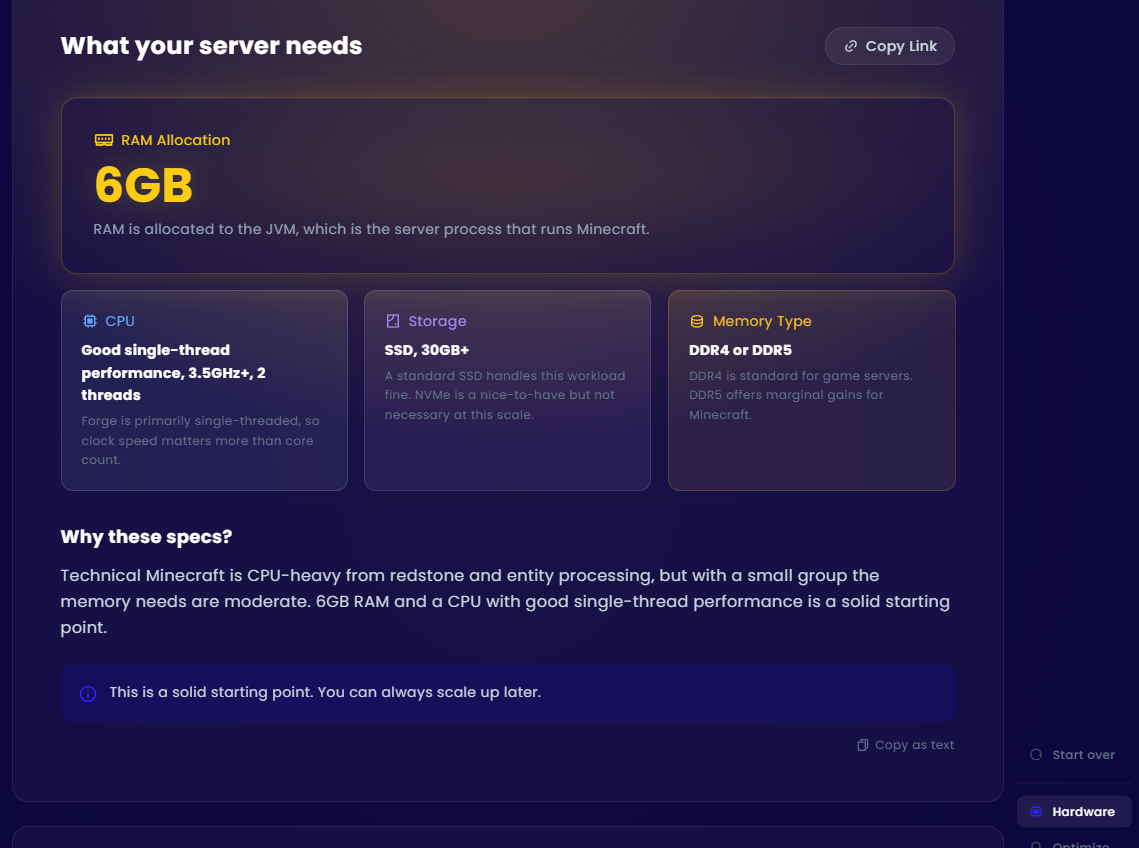
The “more RAM = better server” rule is mostly marketing. What actually matters: the number of concurrent players, the number of mods, and your render/simulation distance. A good rule of thumb:
- 2-4 players, vanilla: 2GB is plenty.
- 5-10 players, light modpack: 4-6GB.
- 10+ players or heavy modpacks: 8GB+.
CPU single-thread speed matters more than raw core count for Minecraft, since the main game loop runs on one thread. That’s why modern Ryzen-based hosts feel dramatically smoother than budget Xeon-based ones, even with identical RAM specs.
What EVLBOX offers for Minecraft
EVLBOX hosts Minecraft servers from $10/month — among the cheapest entry points in their catalog — with Java and Bedrock support, Paper and more, plus an integrated modpack installer. Plans run on Ryzen CPUs with NVMe storage across four locations: Dallas, Los Angeles, New York, and Falkenstein, Germany.
Every plan includes:
- Instant setup — server live in about five minutes.
- Offsite backups — a free backup slot with download/restore anytime.
- The Nitro panel — console, files, and settings without SSH.
- GameSwap — bored of Minecraft for a season? Freeze the world and run Valheim or Palworld on the same server, then swap back when the group returns.
Self-host vs. rent: the honest math
Self-hosting works if you have a spare PC and a patient friend group. But remember you’re paying electricity, managing updates and backups, and opening your home network to the internet. For $10/month, renting removes every one of those headaches — and your world stays up when your router doesn’t.
Bottom line
Minecraft is still best enjoyed with friends. Rent a server on real Ryzen hardware, install a modpack in two clicks, and spend your time building instead of troubleshooting. Your group will thank you.
Get Minecraft server hosting at EVLBOX — from $10/month, Java and Bedrock, instant setup. Use coupon TOOBROKE20 for 20% off.