
Tower Unite Dedicated Server Hosting, Solved
So you want a Tower Unite dedicated server. Maybe your condo is too big to run off your own PC, maybe you want it online 24/7 for friends, or maybe you just don’t want to babysit port forwarding and login tokens. Either way, you’re looking for Tower Unite server hosting — and if you’re comparing hosts, EVLBOX is the one worth your money.
Here’s the honest breakdown of what hosting a Tower Unite condo involves, why self-hosting sucks, and why EVLBOX beats the other options on features, not just price.
What Is a Dedicated Tower Unite Condo?
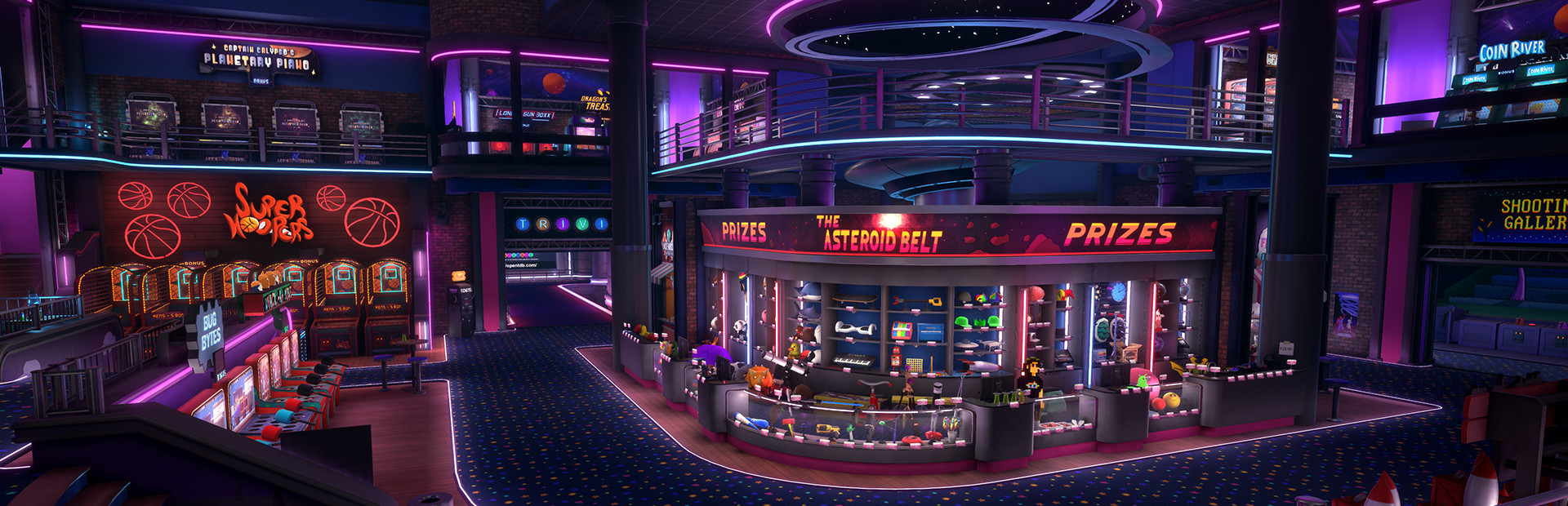
A dedicated condo is a server that hosts your Tower Unite condo without the game running on your PC. It stays online while you sleep, lets other players join with their own inventories, and gives community condos a permanent home. PixelTail officially supports it on Windows and Linux, but the setup is on you [3].
Doing it yourself means:
- Installing SteamCMD and the Tower Unite dedicated server app (439660)
- Opening ports 27015–27050 (TCP/UDP) and 7777–7778 (UDP) on your router
- Grabbing both a Steam Login Token and a Tower Login Token and keeping them secret
- Exporting your condo to a .map file and moving it into the right folder
- Updating the server manually every time the game patches
None of it is impossible — it’s just annoying, and your home PC has to stay on forever. That’s the whole pitch for renting: pay a few bucks, never think about it again.
Why EVLBOX Wins Tower Unite Condo Hosting
EVLBOX runs dedicated Tower Unite condo servers from $15/mo with specs that actually matter for condos [2]. Most “game hosting” companies toss Tower Unite on a generic box and call it a day. EVLBOX built their offering around the game itself.
Real Server Hardware
- AMD EPYC 4545P (Los Angeles) or Ryzen 5950X (Dallas / New York) — single-core speed matters in Unreal Engine servers, and these are strong gaming CPUs
- 4GB DDR4 ECC RAM, 10GB NVMe SSD, 1Gbps uplink
- Three US locations plus Falkenstein, Germany — ping-test before you buy
CondoVault.org — Free Image Hosting Built for Condos
This is the feature nobody else has. Condo images loading slow? EVLBOX includes CondoVault.org free with every dedicated condo — fast image hosting on their own network, with albums and direct links so your wall art and memes actually load [2]. If you’ve ever waited for canvas images to pop in, you know why this matters.
The Nitro Panel
EVLBOX’s Nitro Panel is built on Pterodactyl.io — the same control panel backbone serious Minecraft and Palworld hosts use — so you get one-click restarts, file access, console, and backups without touching a batch file [2].
Everything Else That Matters
- Instant setup — most servers live within ~5 minutes of ordering
- DDoS protection and 24/7 uptime
- Mature-content friendly — 18+ condos welcome (just tag your title per Tower Unite rules)
- 7-day money-back guarantee — zero risk to try it
- Priority Discord support — small team, real humans, same-day fixes
- Upgrade anytime — extra RAM and cores through the portal, no re-buying
EVLBOX vs. The Competition
| Feature | EVLBOX | Typical budget host (e.g., LOW.MS) |
|---|---|---|
| Starting price | $15/mo | ~$10.80/mo |
| Condo-specific image hosting | ✅ CondoVault.org included | ❌ None |
| Control panel | Nitro Panel (Pterodactyl) | Varies |
| DDoS protection | ✅ Standard | ✅ Usually |
| Money-back guarantee | ✅ 7 days | Often none |
| Support | Discord, same-day, gamers | Ticket queues |
| US locations | 3 (LA, Dallas, NY) | 1–2 |
Cheapest isn’t the same as best. A few extra dollars buys you the image hosting and support that make a Tower Unite condo actually fun to run.
How to Move Your Condo to EVLBOX
Switching is easy and takes about 10 minutes:
- Export your condo in-game: Condo scoreboard → Saves → Export Condo (creates a .map file)
- Order your EVLBOX dedicated condo and get your server credentials in ~5 minutes
- Upload your .map through the Nitro Panel file manager
- Grab your Steam and Tower login tokens from PixelTail’s portals, enter them, and you’re live
Same export/import process as self-hosting [3] — minus the SteamCMD install, port forwarding, and keeping your PC on 24/7.
Get Your EVLBOX Tower Unite Server (Deal Inside)
Ready to put your condo on a real server? Order a dedicated Tower Unite condo from EVLBOX’s Tower Unite page or head straight to the EVLBOX portal.
Use code TOOBROKE20 at checkout for 20% off any order. That’s a one-time use code straight from the EVLBOX CEO — it drops the $15/mo condo down to $12/mo, which puts it right at budget-host pricing with way better features.
Full disclosure: links on this page are affiliate links. If you order through them, I get a small commission at no extra cost to you — it’s how this site stays running. Thanks for the support.
FAQ: Tower Unite Server Hosting
How much RAM does a Tower Unite dedicated server need?
PixelTail requires at least 4GB of disk space for the install [3]. EVLBOX’s base plan gives you 4GB of RAM and 10GB NVMe, which is plenty for most condos — and you can add more through the portal.
Can I host a mature/18+ condo?
Yes. EVLBOX is mature-content friendly. Just follow Tower Unite’s rules and put “18+” in your condo title or your server can be delisted.
Do I still need login tokens with a hosted server?
Yes — the Steam and Tower login tokens are a PixelTail requirement for listing on the condo server list, no matter who hosts it [3]. EVLBOX’s panel makes pasting them in quick, and you should never share them with anyone.
What if my condo grows?
Upgrade or downgrade your plan anytime through the EVLBOX portal — no migration, no downtime drama.